Available
Tropic Estimating
MEP cost estimation, from price breakdown to bill of quantities. Labour and material costs, coefficients, price library, BoQ import — build your estimates line by line and generate the quote, ready to send.
MEP cost estimation, from price breakdown to bill of quantities. Labour and material costs, coefficients, price library, BoQ import — build your estimates line by line and generate the quote, ready to send.
What it does
Net labour/material cost, per-line and per-chapter coefficients, sale price computed automatically.
Automatic hierarchical numbering, headings, subtotals and a consistent grand total.
A reusable price library, fed by your projects and your external sources.
Quotes and bills of quantities ready to send, with formatting and hierarchy preserved.
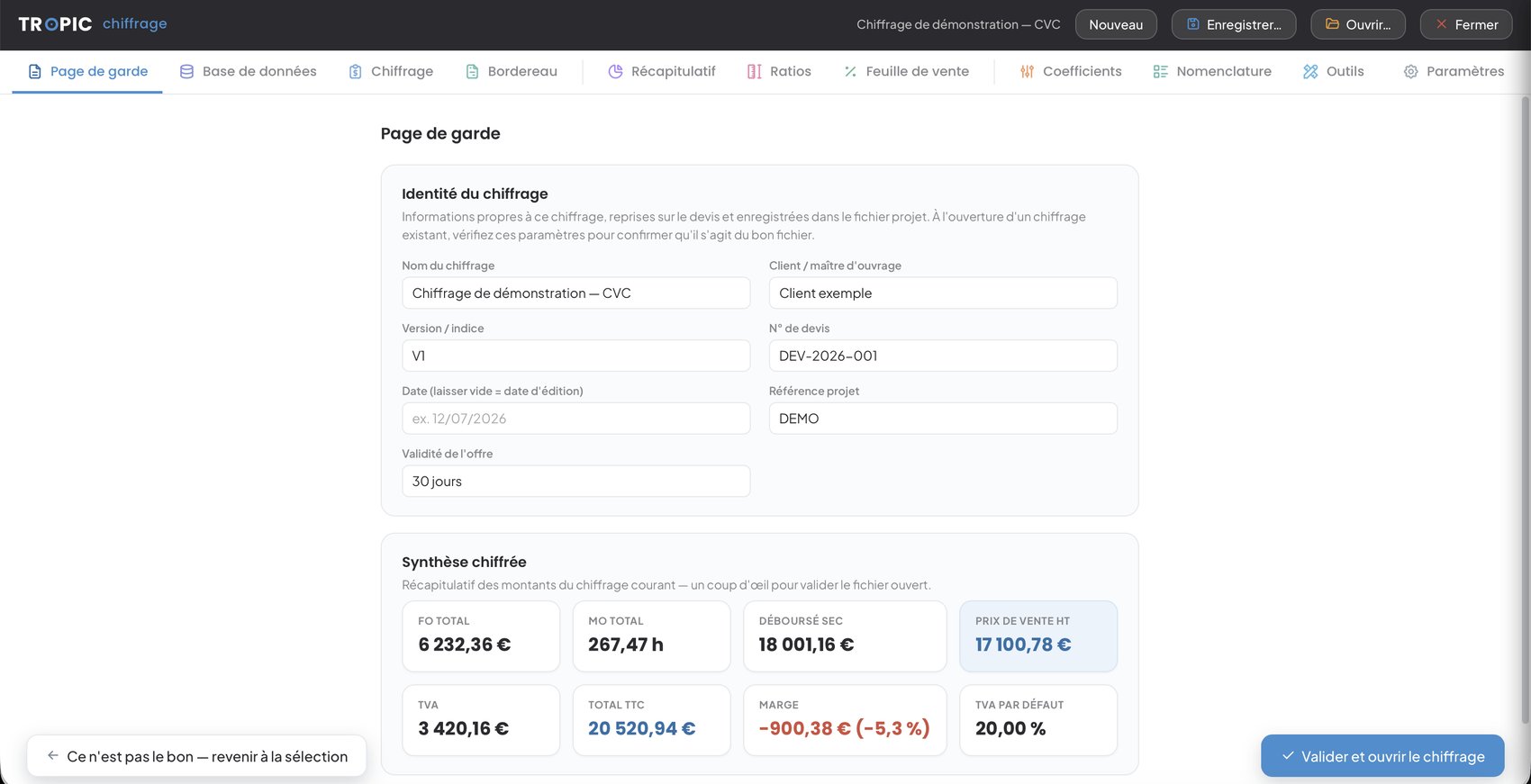
Cover page
The estimate's identity and key figures on one page, echoed on the quote: material, labour, net cost, sell price ex-VAT, VAT and resulting margin — enough to validate the open file in a glance.
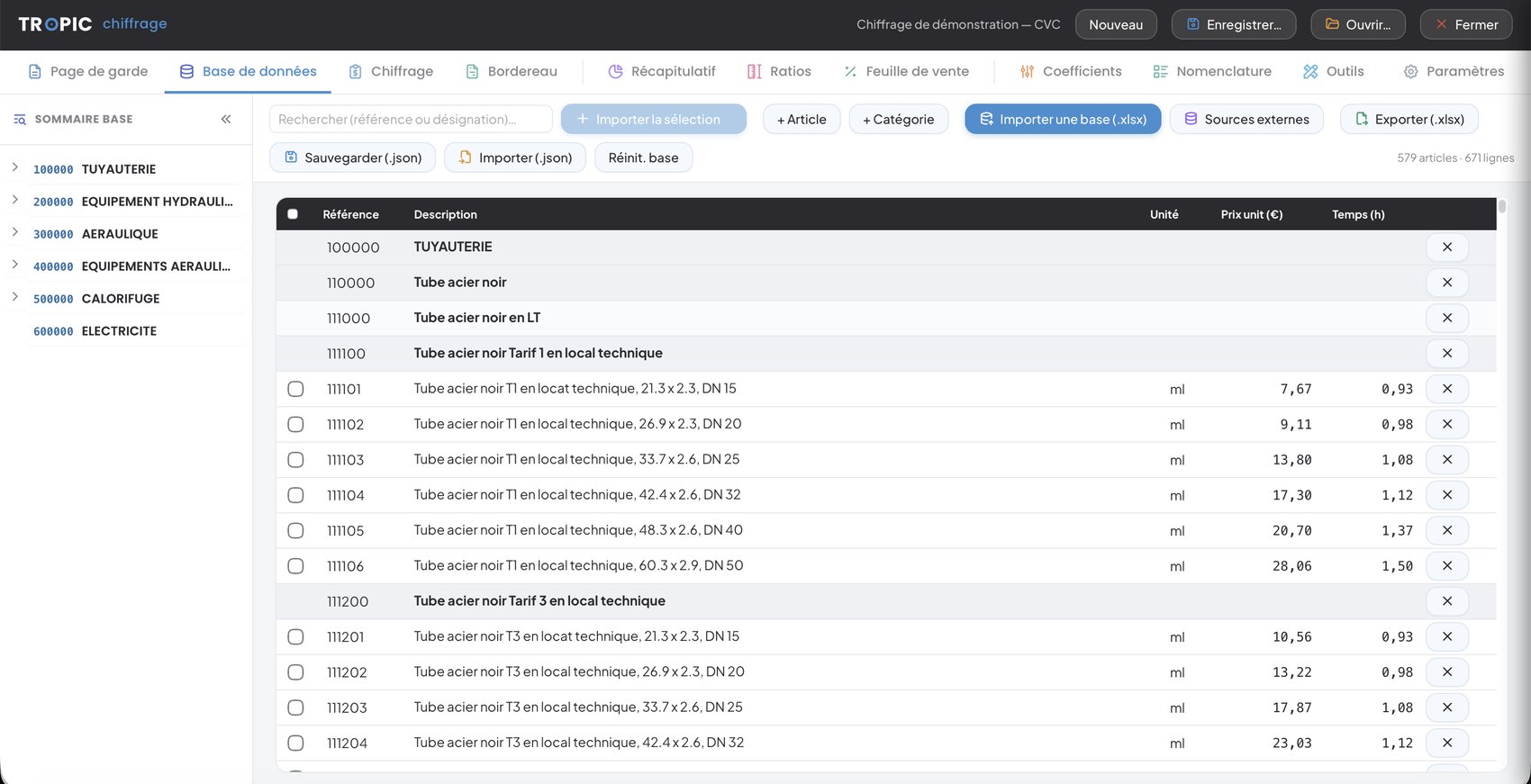
Database
Hundreds of items classified by category — piping, ductwork, insulation, electrical… — with unit price and installation time. Import, export and reuse your database from one project to the next.
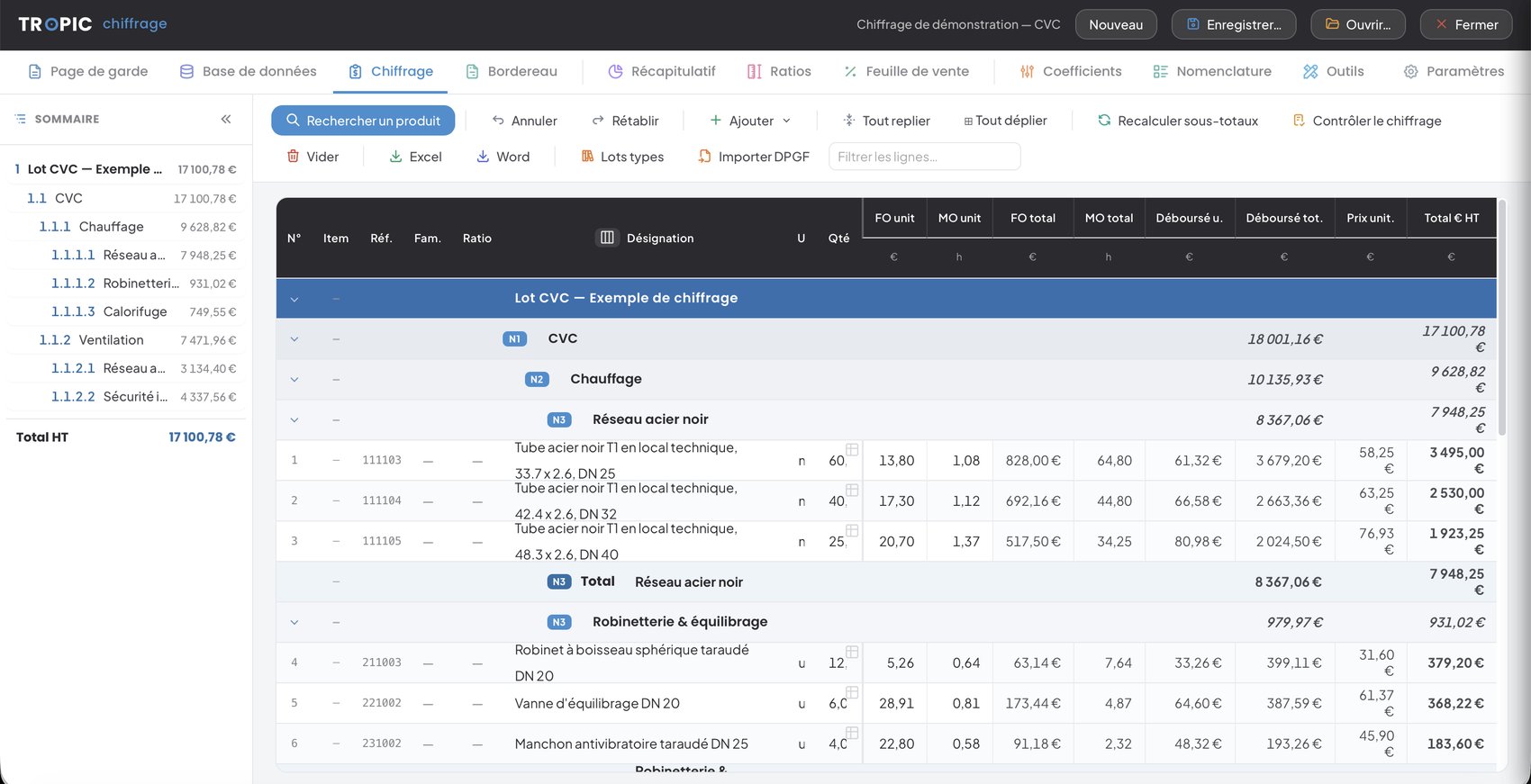
Estimate
Enter quantities and times: the grid computes everything — material, labour, net cost and sell price per line. Lots, chapters and subtotals recalculate live, with product search, undo / redo and an estimate checker.
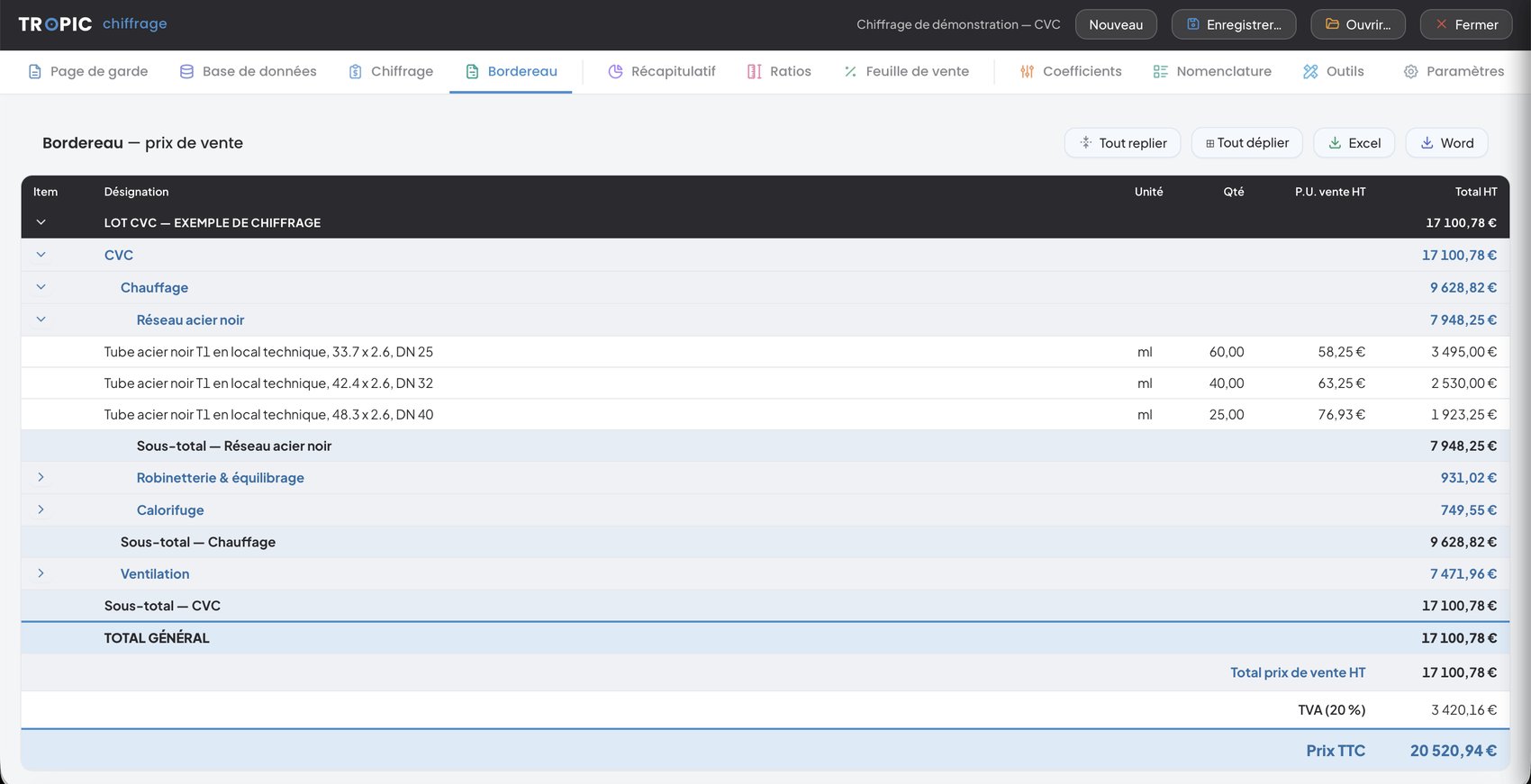
Bill of quantities
The schedule mirrors the estimate hierarchy — lots, chapters, subtotals — in sell price, with VAT and gross total. Collapse / expand by level and Word / Excel exports that keep the formatting.
Sales sheet
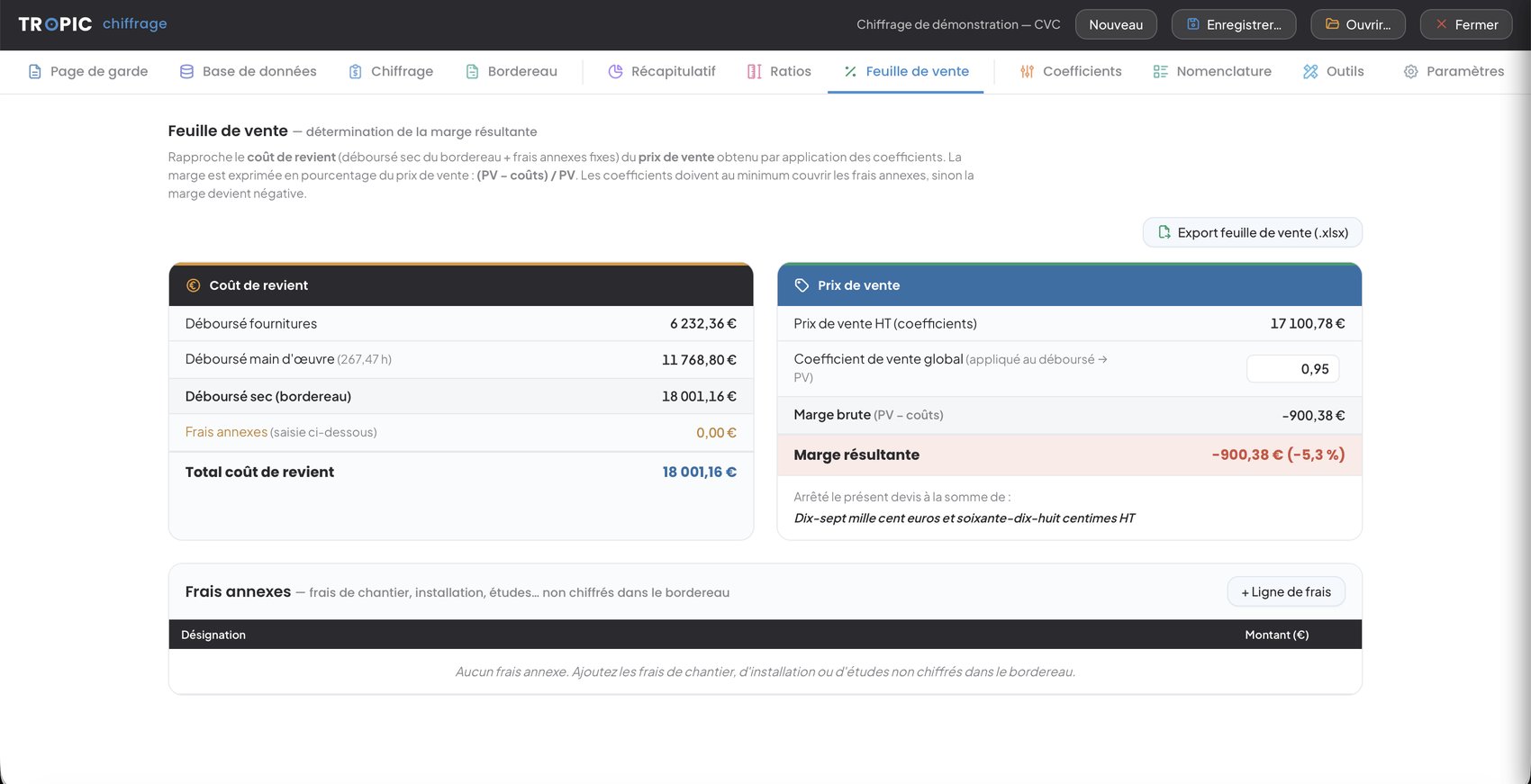
Compares the cost price — net cost + fixed extras — with the sell price from the coefficients. Margin is shown as a percentage of the sell price and flags the moment it turns negative.
Line list
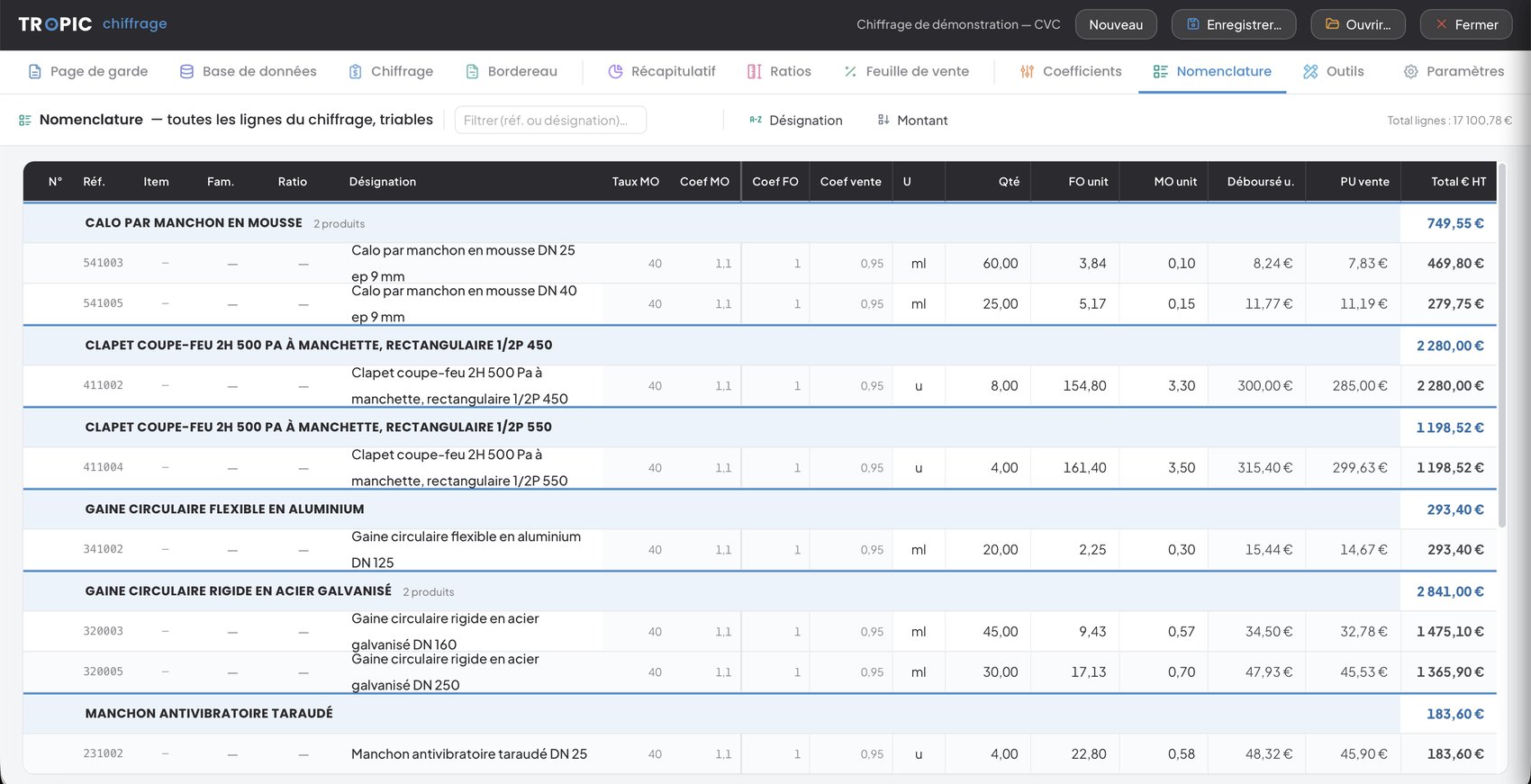
A flat view of all the estimate lines, filterable by reference or description and sortable by description or amount. Ideal to check, compare and find an item in seconds.
In pictures
Click a screenshot to enlarge.
Pricing
These prices cover Tropic Estimating alone. Both tools together — Planning + Estimating — are €450/month: see the bundle.
Net prices — VAT not applicable, Article 293 B of the French tax code.
Frequently asked questions
Request a demo: we'll show you the tool on your own projects.